Showing posts with label Tutorial. Show all posts

14 August 2012

Google App Engine for static websites

Nowadays, there are many options to host a static website (portfolios, generated weblogs, front-end demos, etc.) for free. One of the best ways is to push your static files to a Github's repo and publish them through Github Page.

A lesser known solution is to make use of Google App Engine (GAE). Actually, GAE is designed for building and publishing high-performance, highly scalable web applications written in Python, Java or the newly-introduced Go language. However, by tinkering with the set up and deployment process, I figured out that it is also great for hosting static website with no server side coding at all. Like Github Page, your static website will be served through http://[your-app].appspot.com or you can customize it with a (sub)domain.

The advantages of GAE over Github Page are: higher static files quota (known in GAE as blobstore, known in Github as repository size); allowed SSL; better performance (since GAE app is hosted with reserved thread and bandwidth); possible to supplement data and dynamic server-side scripting later.

18 April 2012

Tutorial: Realistic Waterfall with CSS3

A recent project requires me to create a realistic running waterfall. For such task, what came first to my mind was to use animated GIF or PNG sprite sheet and loop them frame by frame. Then my friend, Justin, explored more with a semi-transparent water layer overlaying a static waterfall image using Photoshop & Flash. The result was really satisfying. So I decide to adopt it into our project which is pure HTML. Thanks to CSS' background repeat and the new CSS3's animation, the task was really simple to achieve and straight forward.

Here's the demo & source code on Dabblet: http://dabblet.com/gist/2403656

It is worth noting that CSS3's animation is still an experiment feature. You can still achieve same result using JS to shift the background at intervals.

Let me explain step by step to re-create the effect:

15 May 2011

Bắt đầu với Molehill (Stage3D) - Phần 2

[This is a translation and edit of the article “Molehill Getting Started” from labs.jam3.ca]

PHẦN 2. TÌM HIỂU MOLEHILL (STAGE3D) API

Trình độ: Cao CấpPhần mềmFile mẫu
- Vững ActionScript 3
- Biết FlashDevelop
- Biết Flash 3D hoặc 3D Engine
- Flash Develop 4 (tải về)
- Flex SDK 4.5 r.19786 (tải về)
molehill_getting_start_p2.zip


(TTT) Đây là bài viết giới thiệu về Molehill (Stage3D) API ở khía cạnh cơ bản của nó. Molehill API là một tập lệnh cấp thấp nên đòi hỏi bạn phải vững về ActionScript 3 và có chút kinh nghiệm về 3D (Flash) để có thể dễ dàng tiếp cận hơn.

(Dịch)
Trước khi chúng ta bắt đầu, có một số thuật ngữ các bạn nên biết:

Các thuật ngữ:

  • Vertex: Một điểm trong không gian 3D. Một vertex sẽ xác định đỉnh của một tam giác. Tuy nhiên trong MoleHill, vertex định nghĩa cả vị trí và màu của đỉnh.
  • Matrix: Bạn dùng Matrix (ma trận) để biến đổi các Vertex. Hãy hình dung Matrix giống như là các "phương trình" để xoay, thay đổi tỉ lệ hoặc thay đổi vị trí của Vertex.
  • Shader: Shader là một chương trình nhỏ dùng để xử lý Vertex. Shader có thể dùng Matrix để làm các phép biến đổi lên Vertex. (Hay nói cách khác, chương trình thực thi một phương trình lên tất cả các điểm trong 3D). Không như tôi nghĩ, Shader trong MoleHill không chỉ xử lý hoa văn và giao diện mà nó còn dùng để xử lý vị trí của các đối tượng.
Bây giờ chúng ta có thể bắt đầu xem xét các thành phần tạo nên MoleHill

06 May 2011

Bắt đầu với Molehill - Phần 1

[This tutorial discusses How to get started with Molehill API via Away3D. You can find English equivalents from other sources easily]

PHẦN 1. TIẾP CẬN MOLEHILL THÔNG QUA FLASH ENGINE AWAY3D


Trình độ: Trung CấpPhần mềmFile mẫu
- ActionScript 3
- Biết FlashDevelop
- Từng sử dụng Flash 3D engine
- Flash Develop 4 (tải về)
- Flex SDK 4.5 r.19786 (tải về)
molehill_getting_start_p1.zip

I. Molehill và những câu hỏi thường gặp.


1. Molehill là gì?
Molehill là tên mã của một tập lệnh (API) cấp thấp trong Flash Player cho phép tận dụng sức mạnh của chip đồ họa (GPU) để hiển thị hình ảnh 3D phức tạp và các hiệu ứng đồ họa đòi hỏi tốc độ xử lý cực nhanh, từ đó mang lại cho người dụng trải nghiệm 3D ấn tượng trên hầu hết các máy tính và thiết bị kết nối internet.

Dự kiến Molehill sẽ được phát hành chính thức trong Flash Player 11 và Adobe AIR phiên bản tiếp theo.

Ảnh: Ứng dụng demo Max Racer viết bằng engine Alternativa 3D hỗ trợ Molehill. Xem demo

02 October 2010

Using Flash Builder 4 on Ubuntu

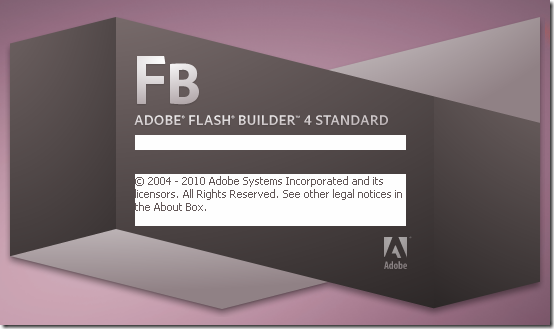
Flash Builder 4 splash screen on my Ubuntu

So, Adobe has discontinued its Linux version of Flex Builder. That’s sad news for us. Anyway, it doesn’t change much since Linux users already have alternatives long before, e.g. FDT, IDEA. Besides, I have been able to run Flash Builder 4 on my Ubuntu (via Wine) for a while to take advantage of its mxml coding hinting and the unique design view. Let me share some of my experiences of using Flash Builer on Ubuntu so far.

14 August 2010

How to run Flash CS5 on Ubuntu (with Wine)

Updated on 2011-05-24

Flash CS5 on Ubuntu 10.04

After a couple of days testing and examining, finally, I have managed to run Adobe Flash CS5 on my Ubuntu machine. As I say "run", I mean that I did not succeed installing the application but I had to copy the installed files from Windows. However, it is worth noting that this is the first Adobe Flash version that runs with workable quality since Macromedia Flash 8. The last 2 versions (CS3 & CS4) is known to be useless when trying to run with Wine.

No more wandering, let's me show you the how to first and then comments later.