Showing posts with label Ubuntu. Show all posts

28 July 2013

Fixing Web Font Padding Issues on Linux/Mac/Android Browsers

Recently I came across an annoying issue with web font (@font-face) in which the text does not appear vertically center within buttons or inputs (see image). Google around, I found that not all web fonts are affected, this defect seem to occur only on Mac/Linux and may vary in different browsers and is commonly referred to as "web font padding issue".

It's interesting enough that although the issue is quite common and has been reported several times but there seem to be no absolute solutions. Most suggested the workaround to set uneven padding to compensate for the shift. I have struggled so much with workarounds for this especially the padding didn't help to correct the alignment across browsers and devices (I preview my app in Chrome/OSX but it runs on iOS Safari and Android browser) so I decided to look into the issue again and thought about typography metrics problems.

Honestly, I know very little about typography and font metrics. I used FontForge (which happens to be easily installed on Ubuntu) to tinker with the troubling font file. After a few hours, I have discovered the problem when I tried to replicate the settings of another good font on the defective one. It was one of my Eureka moments!

02 October 2010

Using Flash Builder 4 on Ubuntu

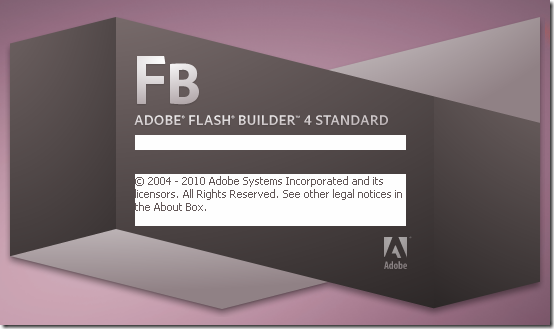
Flash Builder 4 splash screen on my Ubuntu

So, Adobe has discontinued its Linux version of Flex Builder. That’s sad news for us. Anyway, it doesn’t change much since Linux users already have alternatives long before, e.g. FDT, IDEA. Besides, I have been able to run Flash Builder 4 on my Ubuntu (via Wine) for a while to take advantage of its mxml coding hinting and the unique design view. Let me share some of my experiences of using Flash Builer on Ubuntu so far.

14 August 2010

How to run Flash CS5 on Ubuntu (with Wine)

Updated on 2011-05-24

Flash CS5 on Ubuntu 10.04

After a couple of days testing and examining, finally, I have managed to run Adobe Flash CS5 on my Ubuntu machine. As I say "run", I mean that I did not succeed installing the application but I had to copy the installed files from Windows. However, it is worth noting that this is the first Adobe Flash version that runs with workable quality since Macromedia Flash 8. The last 2 versions (CS3 & CS4) is known to be useless when trying to run with Wine.

No more wandering, let's me show you the how to first and then comments later.

12 August 2010

Dark color scheme for FDT & FlashDevelop

Here’s my (dark) color scheme for FDT 3.5:

eclipse_pref_fdt

To install, follow these steps:

  1. Save my eclipse preference file (.epf) to your computer. (Don’t worry, this preference file only contains color settings for FDT, your own settings will not be affected)
  2. In FDT/Eclipse go to File > Import… > expand General > select Preferences > click Next
  3. At “From preference file” box, browse to the preference file > Check “Import all” > click Finished and there you go.

If you want to know how to make these preference files, read this tutorial.

Besides, the black background of the editor is set at global setting. Therefore, other editors (.txt, .xml, .java…) must also be changed to dark theme or they are very difficult to read.

30 May 2010

Sans serif font improves code editor readability

In Windows, I often use Courier New font for my code editor since it is the default monospace font which support a decent range of Unicode characters. However, the Courier New is a typewriter-like font which is somehow difficult to read because of its short, broad face with over-emphasized serifs. (Serif: a short line at the end of the main strokes of a character).

In Ubuntu, the default editor font in Eclipse is Monospace which is a sans-serif font. (Sans serif is a type of font without serif). To my observation, this font is much more legible than Courier New especially when the characters are small in size. Sadly, the font doesn't support many Unicode letters especially Vietnamese and extended Latin. Looking around in Ubuntu's default font sets, I've found WenQuanYi Micro Hei Mono. This sans serif monospace font contains a broad range of Unicode letters including Vietnamese and other East Asian languages. This is exactly what I'm looking for in terms of readibility and Unicode support.

To my studies, WenQuanYi Micro Hei is an open source derivative of Droid Sans Fallback and is powered by many Linux distros. As you may guess, Droid Sans is the font for the hottie mobile platform - Android. Windows users can download WQY Micro Hei font here (The file format is a true type collection .ttc).

Here's the screenshot of Courier New (top) and WQY Micro Hei Mono (bottom) both in size 11pt, 100% zoom:

monospace_compare.jpg

07 March 2010

Ubuntu for Flash Developers

I love Linux and free (but cool) softwares. But running Linux as a pure environment for Flash development seem to be a mission impossible (at least to the time of this post). Although I have discovered many good alternative programs, the most needed Flash authoring tool – Flash CS4 is not available in Linux. And that prevents me from moving 100% from Windows to Ubuntu.

Here are the list of application choices in Ubuntu which comes from my own experiences that I think necessary for any Flash developers to work comfortably in Linux world:

No

Tool

Windows application

Linux alternative

Note on Linux alternatives

01 Flash IDE or Fla authoring tool Adobe Flash CS4 N/A make do with Virtual Box + WinXP + Flash CS4 (cost a lot of RAM)
02 ActionScript editor FlashDevelop (free and cool)

Eclipse + FDT plugin or Flex Builder 3 alpha

FDT Basic is free but lacks refactoring and debug tool (however it is comparable with current FD version)
03 Flex & MXML tool Flex/Flash Builder Eclipse + FDT plugin or Flex Builder 3 alpha Currently, there is no tool comparable with Flash Builder in MXML design.
Flex Builder in Linux doesn’t have MXML design either.
04 Flash trace & debugging Debugger in Flex Builder and Flash tracer in Firefox. Flash tracer in FF and MAYBE debugger of FDT I haven’t tried debugging with FDT.
05 Browsers and web debugging tools Firefox + Firebug
OR IE + Fiddler
Firefox + Firebug It is as ‘comfy’ and easy as in Wins
07 Personal web host for testing IIS or Apache Apache  
  Other professional tools  
08 VPN Client Cisco  Systems VPN Client Built-in Network Manager + VPNC package Very convenient VPN solution
09 Chat / IM Yahoo, MSN Pidgin

Pidgin manages both of my Yahoo & MSN accounts.
There are, in fact, some limitations compared with the original applications.

10 Voice conference Skype Skype for Linux Not fully functional like Windows’ counterpart but it’s still the best voice chat application
11 FTP client Filezilla FileZilla  
12 SVN client TortoiseSVN RabbitVCS + RapidSVN Inspired by TortoiseSVN, RabbitVCS is an integrated client working as shell commands in Ubuntu’s default file manger – Nautilus. By the time of this post, there’s still an issue with authentication so I need rapidSVN for first checkout.
13 Screen capture Fastone Capture (free version) Shutter Shutter comes with a handy drawing tool for taking notes and marking. BTW, the Ubuntu default tool “Take Screenshot” really sucks.
14 Remote desktop viewer Remote Desktop Connection OR VNC viewer Terminal Server Client OR Remote Desktop Viewer Terminal Server Client is totally comparable with Windows’ RDC
15 Office suite Open Office or MS Office Open Office  
16 Image editing tool Photoshop GIMP Honestly, there is no tool comparable with Photoshop. I can make do with GIMP in some simple tasks but for serious “business” (like my wedding photos :D) I’ll need Photoshop anyway.

When I first moved to Ubuntu, I though I couldn’t do anything with it. But now I feel quite comfortable and “workable”. Though it still lacks some tools (like Live Writer which I’m using to post this blog) but thanks to its open environment, sooner or later, there’ll be good (and free) alternatives. (As I’m expecting ScribeFire to be sophisticated enough to replace Live Writer).

It’s high time we moved to Linux not only for the sake of free softwares but also because it has become mature enough.

Update: I have added some links to the softwares’ home page for easy reference. However, most of the Linux alternatives can be found in Ubuntu software center